

In the cutthroat world of online gaming, control over one’s digital environment is a premium feature. Stake Casino improves the user experience by presenting a advanced system of custom notifications, allowing players in New Zealand to customize their alert preferences with striking precision. This feature is not a simple on/off toggle but a fine-tuned suite of controls designed to filter the signal from the noise. By allowing users to choose exactly what information they receive and how they receive it, Stake transforms a potential source of distraction into a streamlined, informative companion. This article explores into the workings, benefits, and strategic advantages of Stake’s notification system, illustrating how it fosters a more concentrated and customized gaming journey.
Managing Interaction with Safe Gambling
A significant, yet often ignored, advantage of a customizable notification system is its role in encouraging responsible gaming practices. Stake offers tools that allow players to control their engagement levels directly. Users can choose to disable promotional alerts during particular hours or deactivate certain types of marketing communications altogether. This allows individuals to set boundaries that support a healthy relationship with gaming, stopping the platform from accidentally prompting excessive play through constant prompts. The capacity to control the pace and type of contact is a cornerstone of player-centric responsible gaming, accepting that user well-being is paramount. It shows Stake’s dedication to delivering not just entertainment, but a framework for sustainable and controlled participation.
Establishing Do-Not-Disturb and Quiet Mode
For players who prioritize uninterrupted personal time, the capability to define quiet hours is a essential feature. Stake’s notification settings often include scheduling options, where users can define periods—such as late evenings or weekend mornings—during which non-critical alerts are routinely paused. This do-not-disturb function ensures the platform acknowledges the user’s offline life. Critical account security alerts, like login attempts from new devices, may bypass this setting for protection. This level of control is essential for keeping a healthy balance, permitting players to fully unplug and refresh, knowing they will not be drawn back by a promotional ping. It’s a feature that values the player’s time beyond the screen, contributing to a more healthy gaming habit.
Frequently Asked Questions
How can I disable marketing emails from Stake?
You can adjust all email preferences inside your Stake account settings. Head to the Notifications or Communications section, find the “Promotions” or “Marketing” category, and simply disable the “Email” delivery channel. This will halt promotional emails while retaining transactional or security-related emails.
Can I get a push notification when my withdrawal is processed?
Yes, definitely. Stake lets you set up specific alerts for transaction confirmations. Within your notification settings, find the “Withdrawals” or “Transactions” section and make sure the “Push Notification” option is turned on. This delivers immediate confirmation straight to your mobile device once your request is processed.
What happens if I turn off all in-app notifications?
If you deactivate all in-app notifications, you will not see any pop-up banners or messages while navigating the Stake site or app. However, this change does not affect email or push notifications. You will still get communications through those other channels if they are kept enabled, so your alerts are only redirected, not entirely silenced.
Do alerts exist for new game releases?
Stake typically offers notifications for new game launches. This option is frequently found under a “Games” or “New Releases” section in your notification dashboard. You can choose to be informed via your chosen method—in-app message, email, or push—whenever the platform releases new slots, live dealer games, or other titles.
How can I configure ‘quiet hours’ so I’m not bothered at night?
If the option is present, search for a “Schedule” or “Quiet Hours” choice within the notification settings panel. There, you can set a start and end time (e.g., 10 PM to 8 AM) during which non-essential promotional and update alerts will be stopped automatically, considering your personal time.
Will I skip important security alerts if I adjust my notifications?
No, critical security alerts are normally mandatory and cannot be turned off. Notifications for events like login attempts from a new device, password changes, or important account verifications are intended to bypass user customizations to make sure your account’s safety is never jeopardized by your communication preferences.
In conclusion, Stake Casino’s custom notification system represents a significant step forward in user-centric online gaming design. By offering players in New Zealand with detailed control over what they are notified about and how they receive those alerts, Stake empowers them to craft a personalized and streamlined gaming experience. This system serves as both a key tool for seizing opportunities and a controlled gaming feature for managing engagement. Transcending the industry standard of blanket communications, Stake’s approach prioritizes user attention, minimizes digital clutter, and ultimately fosters a more fulfilling and managed interaction with the platform, establishing a admirable benchmark for player autonomy.
Navigating the Notification Settings Dashboard
Accessing and setting up notification preferences on Stake is a uncomplicated process, designed with user-friendliness in mind. Players can generally find the notification center within their account settings or profile menu, presenting a clean interface. The dashboard is systematically segmented, allowing for easy navigation between different alert categories. Each category has clear toggles and dropdown menus, making it easy to adjust settings without confusion. The design focuses on clarity, making sure that even users with minimal technical expertise can personalize their alert flow effectively. This accessibility is essential, as a powerful feature is only valuable if it is easy to use, making sure that all players, regardless of their familiarity with platform settings, can leverage the full potential of custom notifications.

Types of Notifications Available
Stake’s notification system includes a comprehensive range of on-site activities and external communications. The primary categories commonly include deposit and withdrawal confirmations, bonus offers and promotions, new game launches, sportsbook bet settlements, live match updates, and tournament invitations. Beyond these, players can frequently set alerts for specific events like wagering requirement completions or loyalty point milestones. This level of detail allows for a highly tailored experience. For instance, a player heavily involved in Stake’s sportsbook can receive real-time score updates, while another focused on building their VIP status can get alerts for exclusive promotions, ensuring neither misses critical information pertinent to their individual gaming style.
Alert Methods: How You Obtain Alerts
Equally vital as what you are notified about is how those notifications are delivered. Stake provides multiple channels to accommodate diverse player habits and preferred devices. The primary delivery methods usually include in-platform alerts or pop-up banners, email notifications, and push notifications to a linked mobile device. The management includes activating or deactivating each channel per notification type. A user may decide to receive time-sensitive withdrawal alerts via push notification for immediate awareness, while selecting secondary marketing messages to be sent solely by email, which they can check at their leisure. This multi-channel control ensures alerts are not only relevant in content but also appropriate in their mode of delivery, integrating smoothly into the user’s everyday schedule.
The Philosophy Behind Customizable Alerts
Modern digital platforms often inundate users with a unending stream of alerts, resulting in notification fatigue and a diminished user experience. Stake Casino’s approach is philosophically different, based on the principle of user sovereignty. The platform understands that each player has individual priorities; a high-stakes poker enthusiast cares about different events than a casual slots player tracking a specific tournament. By entrusting the reins of communication to the user, Stake respects their attention and time. This philosophy matches a broader trend in user-centric design, where customization is crucial to satisfaction. It makes sure that every ping, pop-up, or email a player obtains is relevant, timely, and valuable, thereby boosting engagement rather than disturbing it.
Assessing Stake’s System to Industry Standards
When placed side-by-side with the notification offerings of other major online casinos, Stake’s system excels for its depth and user autonomy. While many platforms present basic email subscription controls, few deliver the granular, category-by-category, channel-by-channel customization that Casino Stake does. The industry standard often entails broad, all-or-nothing settings, forcing users to accept a flood of information or miss out on potentially important updates. Stake’s model is more sophisticated, handling notifications as a modular system. This comparative advantage means that Stake players benefit from a significantly more streamlined and less intrusive experience. The platform’s investment in this feature indicates a commitment to quality of service over sheer volume of communication, setting a higher benchmark for user experience in the sector.
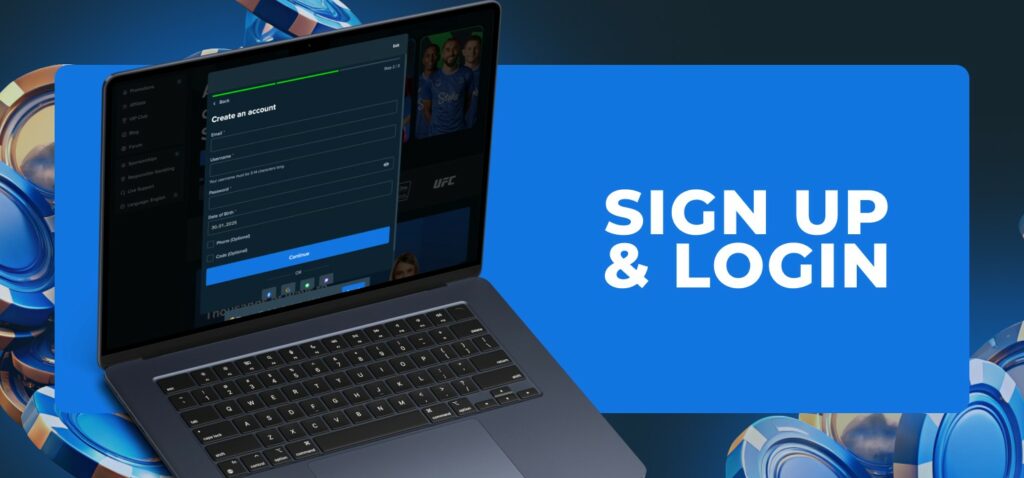
- Sign in to your Stake account and go to your profile or account settings section.
- Locate the “Notifications,” “Alerts,” or “Communications” tab within the settings menu.
- Review the categorized list of notification types, such as Promotions, Transactions, and Sports Updates.
- For each category, choose your preferred delivery channel (e.g., In-App, Email, Push) using the provided toggles.
- Utilize any advanced settings like scheduling quiet hours or setting priority levels for certain alerts.
- Save your changes. Your new preferences will take effect immediately, tailoring your alert stream.
Future Developments in Customer Messaging
The landscape of user communication is continuously evolving, and Stake’s notification framework is well-positioned to integrate future advancements. Potential developments could encompass even more personalized triggers, such as alerts based on predictive analytics of a user’s favorite teams or game volatility preferences. Integration with emerging platforms or smart devices could offer new, seamless delivery channels. Additionally, advancements in AI could enable smarter notification bundling or summary digests, offering complete updates at a user-specified time. The foundational architecture of Stake’s current system—founded on user choice and granular control—gives a solid foundation for these innovations. As technology evolves, players can look forward to their control over their gaming communication to become even more accurate and natural.
Strategic Benefits for the Informed Player
Custom notifications are far more than a convenience feature; they are a tactical tool for the perceptive player. By managing the flow of information, users can enhance their time on the platform, responding promptly to opportunities that align with their goals. For the tactical bettor, instant alerts on bet settlements or live game turns are essential for overseeing a betting portfolio. For the bonus hunter, well-timed notifications about new promotions ensure they never miss a profitable offer with limited availability. This proactive information management lessens the need for constant manual checking of the site, allowing players to engage with Stake on their own terms. It efficiently turns the platform into an active assistant, operating in the background to highlight opportunities the player has considered important.
- Maximized Opportunity Capture: Never miss a time-sensitive deposit bonus, free spin offer, or exclusive tournament invite personalized to your play history.
- Improved Financial Oversight: Instant confirmations for all transactions provide peace of mind and immediate transparency on your account balance and wagering status.
- Personalized Engagement: The platform communicates with you about the games, sports, and events you care about, promoting a more relevant and engaging experience.
- Lowered Information Overload: By muting irrelevant alerts, you create a distraction-free environment, enabling for more focused gameplay or betting analysis.